
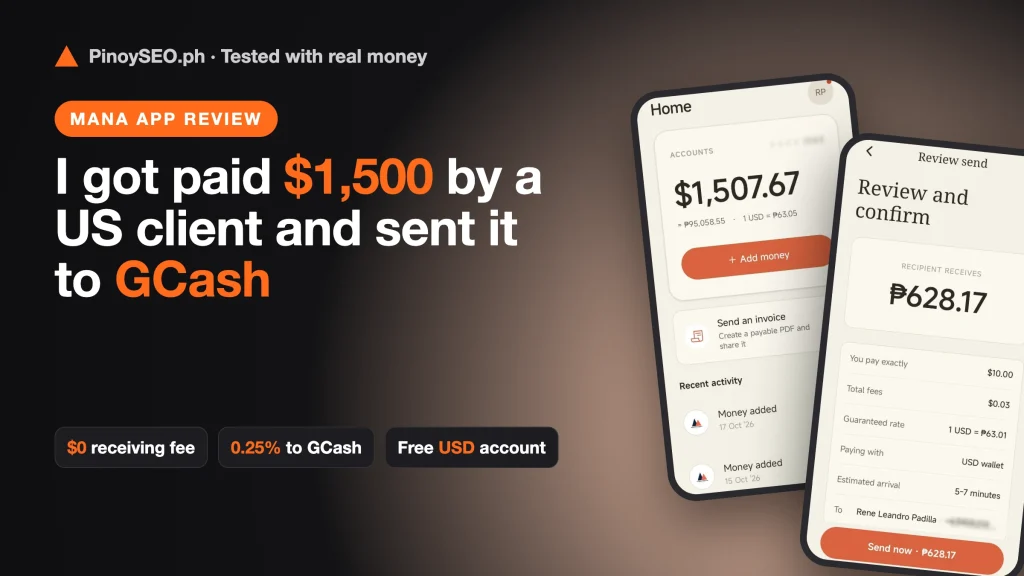
If you’re a Filipino freelancer, VA, or SEO specialist with foreign clients, you know the pain: every payday, part of your income disappears to receiving fees and bad conversion rates.
I run an SEO agency (MalachiSoft) and train Filipino SEO specialists here at PinoySEO, so I get paid in US dollars a lot. In October 2026, I tested Mana, a free US dollar account built for Filipinos earning abroad and from online jobs. I had one of my agency’s US clients pay me $1,500 through it, topped up from Maya, sent money to GCash, and activated the digital Visa card.
Here’s exactly what happened, with screenshots and real fees.
Quick Verdict: My Mana Test Results
| What I tested | Result | Fee |
|---|---|---|
| Opening the USD account | US account and routing number in the app | Free |
| Receiving $1,500 by ACH from a US client | Arrived the same day | $0 |
| Top-up from Maya (₱500) | $7.67 at ₱63.09, within minutes | $0.25 |
| Send $10 to GCash | ₱628.17 arrived in about 1 minute | 0.25% ($0.03) |
| Digital Visa card in USD | Approved and activated | Free (physical card: $10) |
What Is Mana?
Mana is a financial app by KINNECTFI, Inc. that gives Filipinos a free, real US dollar account. You get US account details (account and routing number), so US clients can pay you by ACH, the same way they pay any American vendor. Your account details are with SSB Bank in Pittsburgh, PA, and the full address is shown in the app.
Your money stays in USD until you decide to convert it. When you need pesos, you send it to GCash. Mana is available on both the App Store and Google Play.
My Test, Step by Step
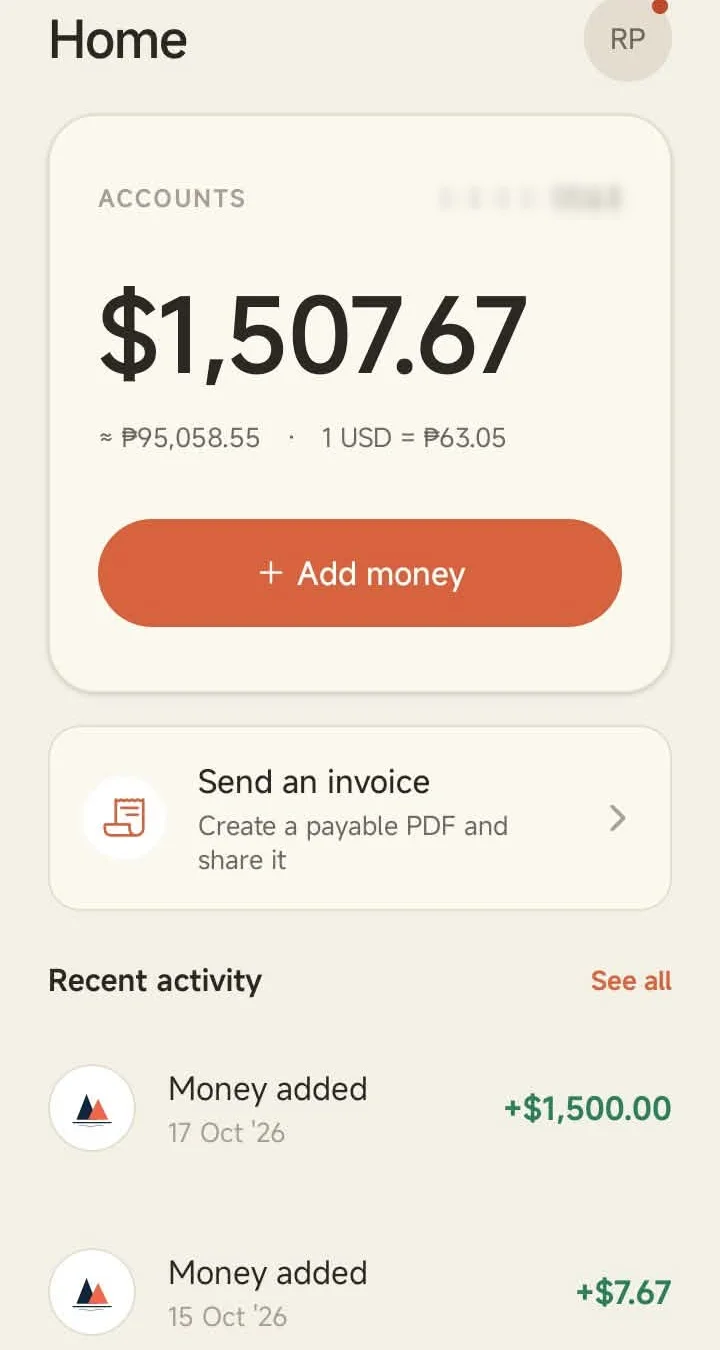
Step 1: A US client paid me $1,500 by ACH
I sent one of my agency’s US clients my Mana account details (bank name, routing number, and account number) and asked them to pay by ACH. The $1,500 arrived the same day, and Mana charged $0 to receive it.
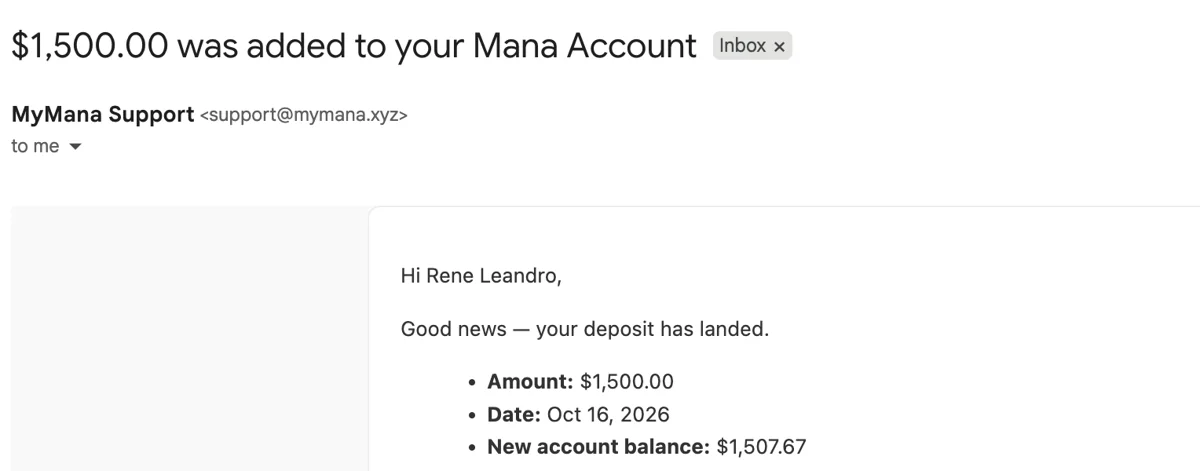
Tip: if your client asks for the bank address, tell them the account is with SSB Bank in Pittsburgh, PA. You’ll find the full address and routing number in the app.
Step 2: I topped up from Maya (pesos to USD)
You can also add money from any Philippine bank or e-wallet through InstaPay. I sent ₱500 from Maya and got $7.67 at ₱63.09 per dollar, with a $0.25 fee. It reached my USD wallet within minutes.
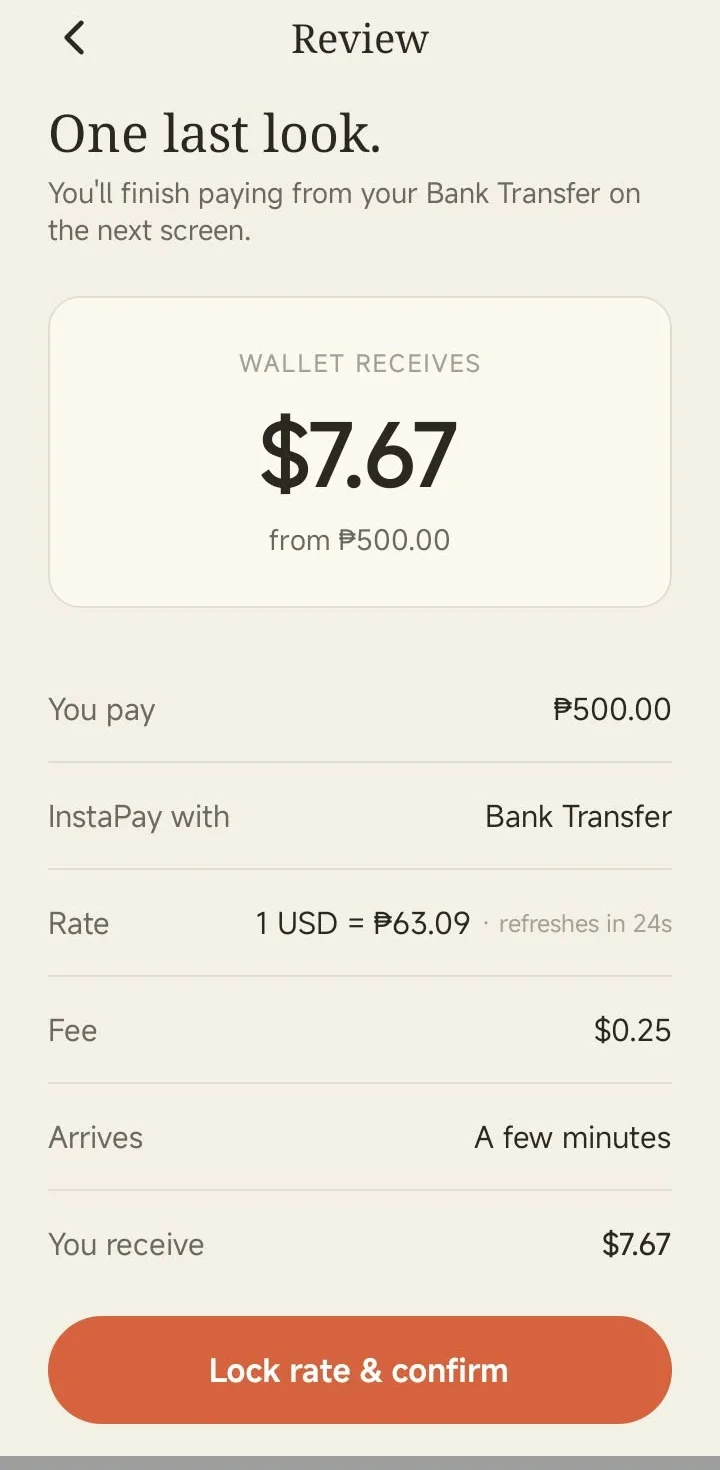
Note that the $0.25 fee is about 3% on a small ₱500 top-up, so it makes more sense for bigger amounts.
Step 3: I sent $10 to GCash for a 0.25% fee
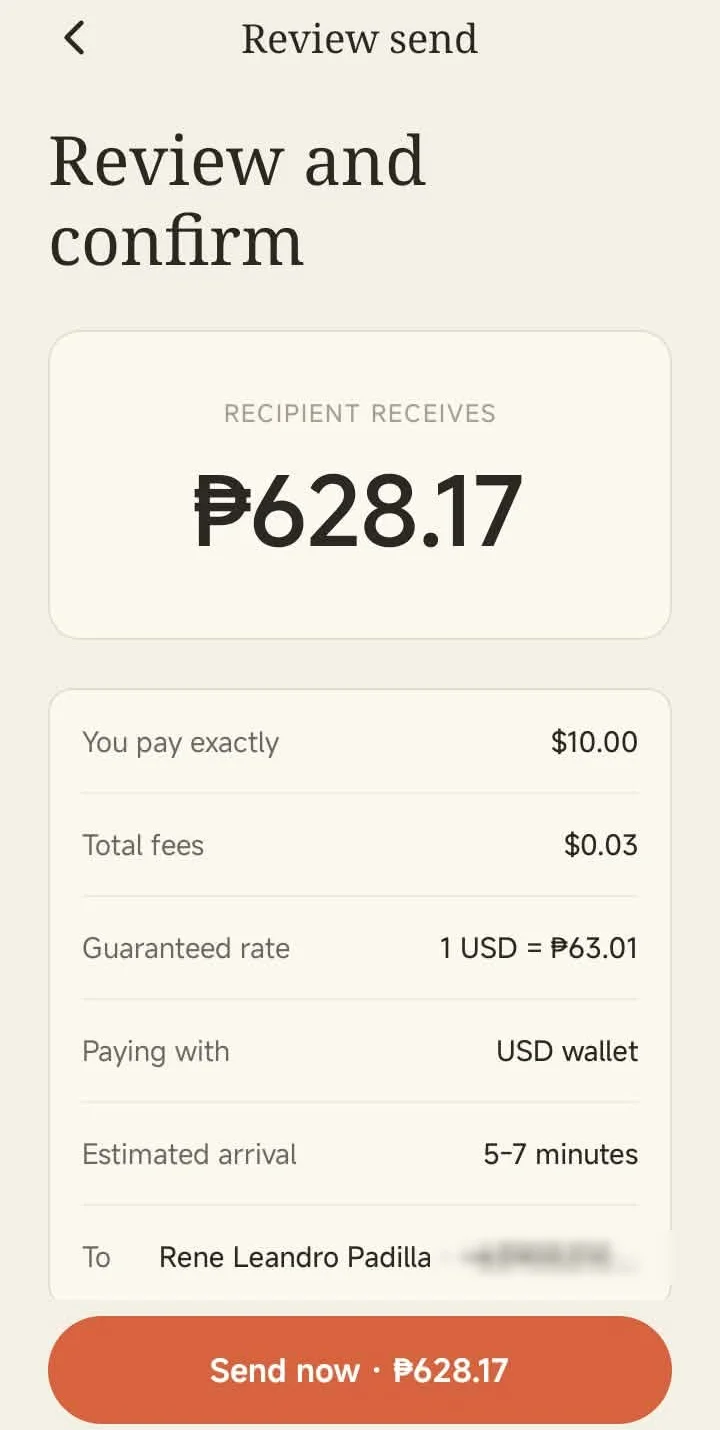
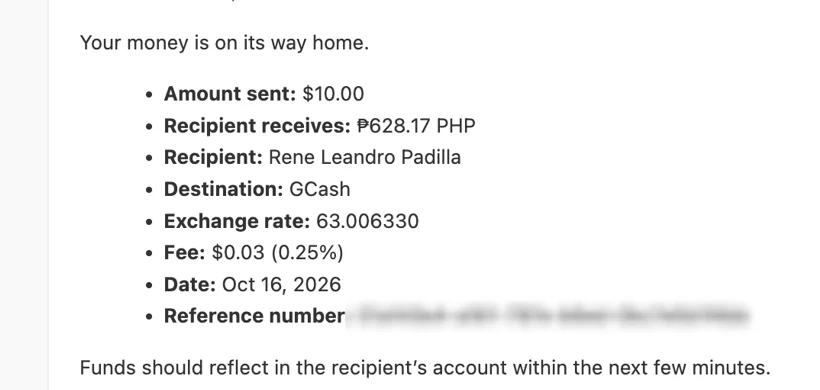
This is the part I cared about most. Before sending, Mana shows you a guaranteed rate and the exact fee. I sent $10, paid a $0.03 fee (0.25%), and the recipient amount was ₱628.17. Mana confirmed that 0.25% is its standard GCash pricing.
Step 4: The pesos landed in GCash in about a minute
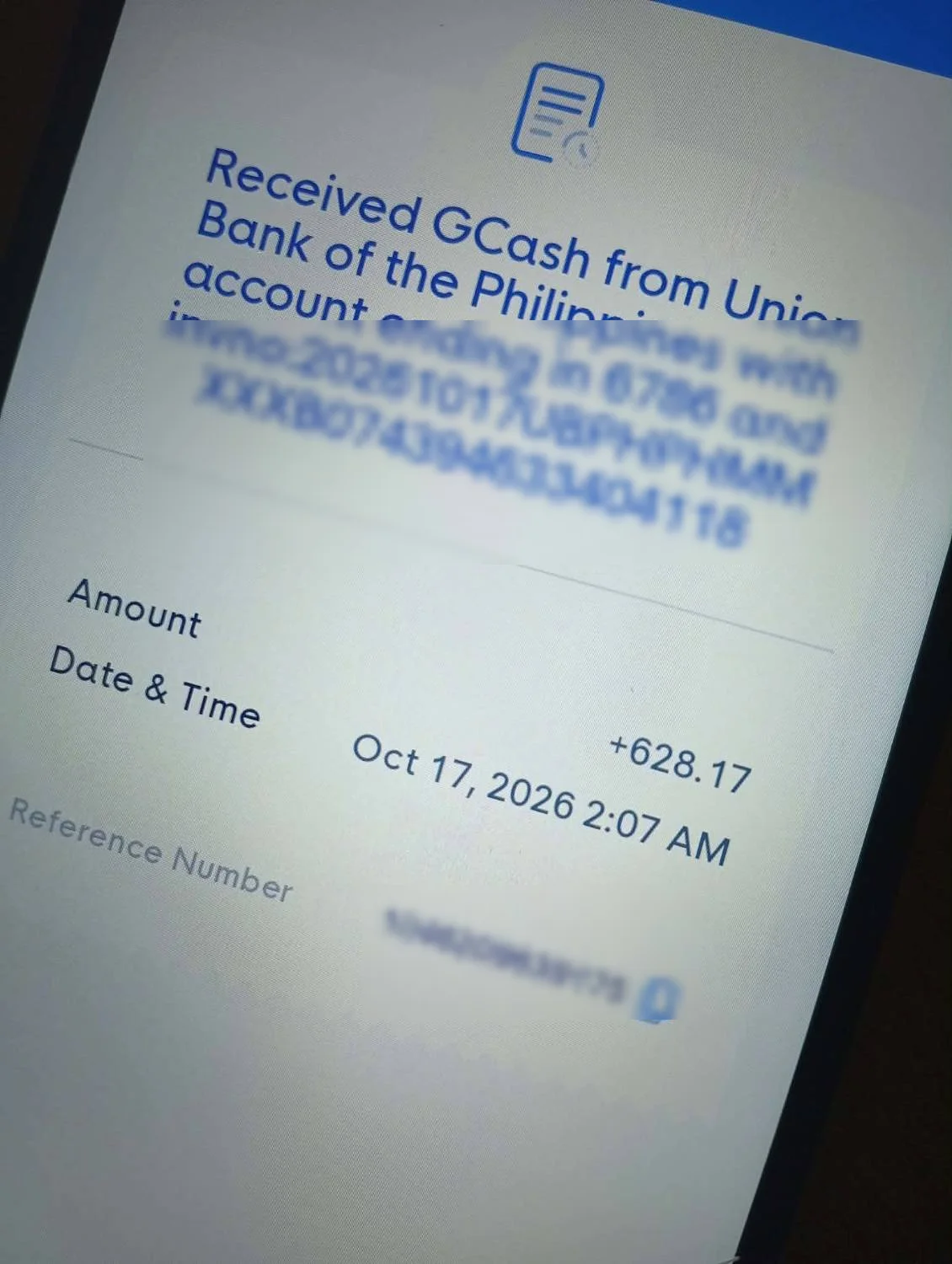
The app estimated 5 to 7 minutes. The ₱628.17 actually arrived in my GCash about a minute after I tapped send.
Step 5: I activated the digital Visa card in USD
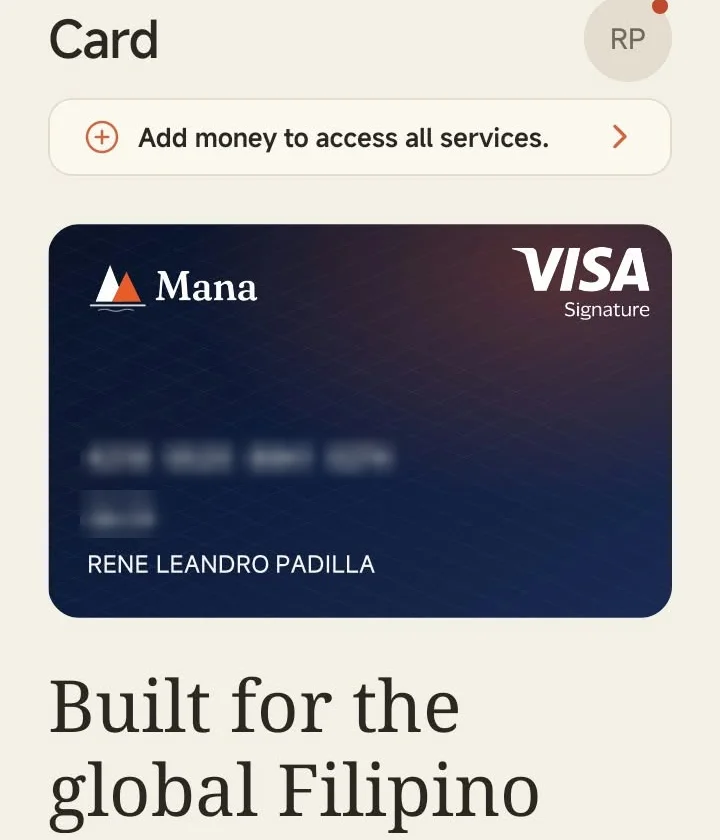
Mana also gives you a digital Visa card that spends straight from your USD balance. That’s useful for paying for SEO tools, software subscriptions, and ads in dollars without converting to pesos first. The digital card is free. A physical card costs $10, which I skipped for now.
Mana Fees at a Glance
- Account: free
- Receiving ACH payments: $0 (my $1,500 test)
- Sending to GCash: 0.25% of the amount
- Top-up from a PH bank or e-wallet: $0.25 on my ₱500 Maya top-up
- Digital Visa card: free; physical card $10
These are the fees I paid in October 2026. Always check the review screen in the app before you confirm.
Pros and Cons
What I liked
- A free, real USD account that US clients can pay by ACH
- $0 receiving fee on my $1,500 payment, which arrived the same day
- You keep your money in USD and choose when to convert
- Only 0.25% to send to GCash, with the rate shown before you send
- Fast: my GCash transfer arrived in about a minute
- A digital Visa card in USD for tools and subscriptions
What to keep in mind
- The flat $0.25 top-up fee is a bigger share of small top-ups
- It’s a newer app, so there aren’t many public reviews yet
- Everything happens in the mobile app; on a desktop computer, the sign-up link opens the App Store page
- The physical card costs $10
Who Is Mana For?
Mana makes the most sense if you’re a Filipino freelancer, VA, SEO specialist, or agency owner whose clients are in the US and can pay by ACH. It’s also useful if you want to hold part of your earnings in dollars instead of converting everything to pesos right away.
How to Sign Up
- Open pinoyseo.ph/mana on your phone. It takes you to the App Store or Google Play.
- Download the app and verify your identity.
- Find your US account details in the app and send them to your client.
Get your free Mana USD account →
Frequently Asked Questions
Is Mana free?
Yes. Opening the USD account is free, and I paid $0 to receive a $1,500 ACH payment. Sending to GCash costs 0.25%.
How long does a transfer from Mana to GCash take?
The app estimated 5 to 7 minutes. My transfer arrived in about 1 minute.
Can I add money to Mana from Maya or a Philippine bank?
Yes. I topped up ₱500 from Maya through InstaPay and received $7.67 at ₱63.09, with a $0.25 fee.
What bank details do I give my US client?
Your account name, routing number, and account number, all shown in the Mana app. The account is with SSB Bank in Pittsburgh, PA. Ask your client to send an ACH transfer.
Is Mana available on Android?
Yes. Mana is on both Google Play and the App Store.
Want to Land US Clients in the First Place?
A USD account helps once the clients are paying you. If you want to learn SEO and start getting those clients, check out our Batch 45 Google, Bing & AI SEO Bootcamp, starting November 3, 2026.
Laban lang, mga ka-freelancer! 💪
Sponsored partnership with Mana. I tested the app with my own money and client payments. Results and fees may vary.
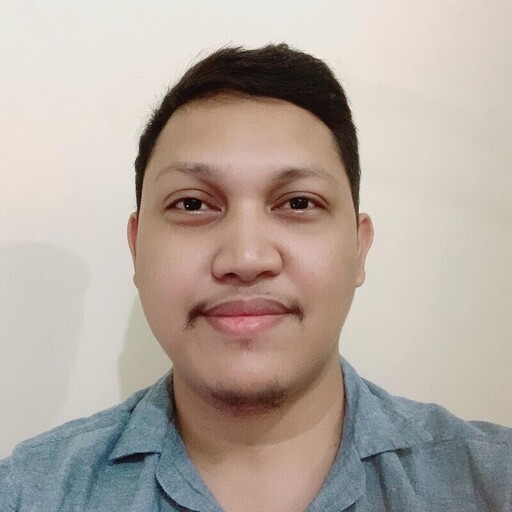
Coach Leandro is an award-winning SEO specialist in the Philippines with over 16 years of professional experience as an SEO consultant. He has successfully managed clients from the US, Australia, UK, and Canada, delivering data-driven strategies that generate measurable results in search engine visibility and business growth.
In 2024, he was recognized as the “Outstanding Digital Freelancer of the Year” by the City Government of Iligan for his significant contributions to the freelancing and digital marketing industry.
He is the Founder and Owner of SOVA.ph, PinoySEO.ph, and MalachiSoft.com, where he continues to lead projects, mentor aspiring professionals, and provide SEO training programs tailored to the global market.
As a trusted SEO consultant and business owner in the Philippines, Coach Leandro is dedicated to helping businesses and individuals achieve long-term online success.
Beyond his professional achievements, Coach Leandro is also a passionate drone pilot, enjoying aerial photography and creative storytelling through drone videography.