
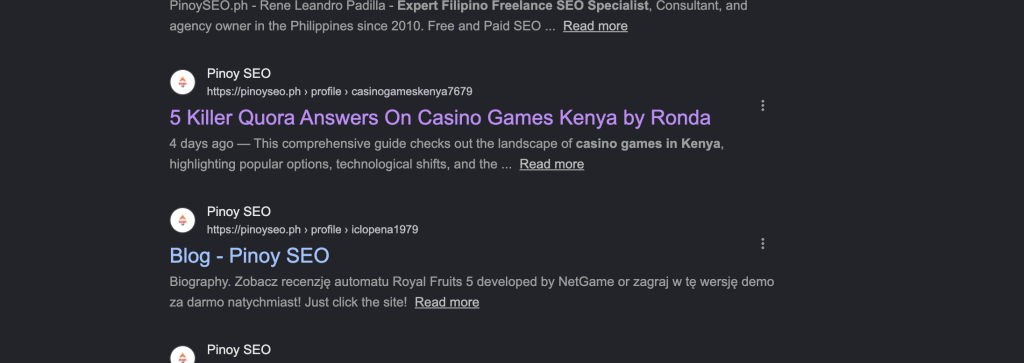
Last month our team ran a simple site:pinoyseo.ph search on Google, expecting to see our usual mix of SEO training articles, student stories, and course pages. Instead, we found hundreds of casino URLs, Instagram viewer promos, Polish gambling reviews, and fake power-tool product pages — all indexed on our own domain.
None of it was written by anyone on the PinoySEO team. None of it was approved by us. All of it was hosted at pinoyseo.ph/profile/[username]/ — WordPress author archive pages generated automatically by fake accounts that had quietly signed up on our site over the years.
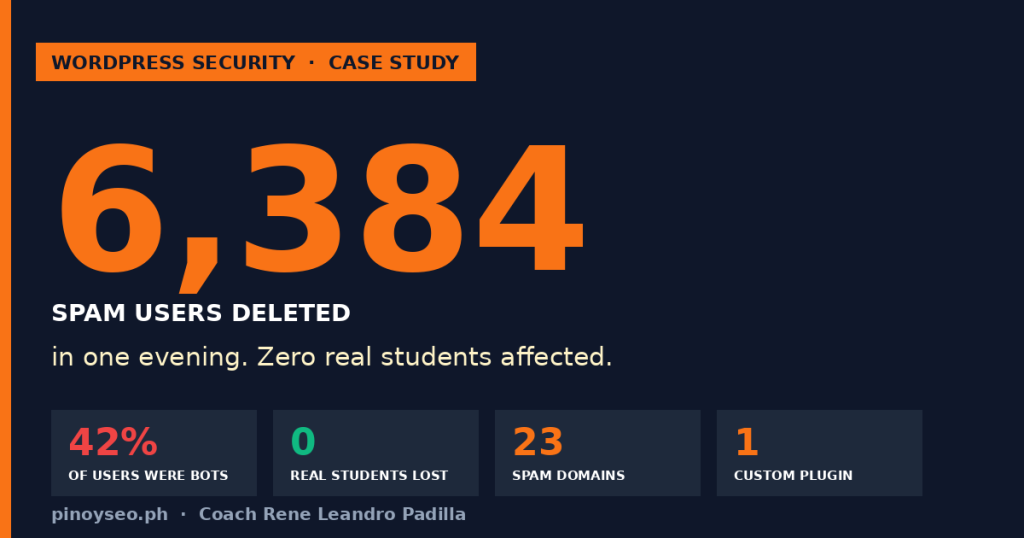
When we exported our WordPress user list, the scale hit our team in the face: 13,922 total users. 5,931 of them were spam bots. That’s 42% of our entire user database.
This is the full story of how the PinoySEO team diagnosed it, defended against it, and cleaned it up in about 3 hours across two evenings — with zero real students affected and zero data loss. If you run a WordPress site with open registration (especially with Tutor LMS, LearnDash, or WooCommerce customer signup), you almost certainly have the same problem we did. Here’s exactly what to look for and what to do.
Step 1: Run site:yourdomain.com right now
This is the 30-second diagnostic that started everything for our team. Open a fresh Google tab and type:
site:yourdomain.com
Scroll through the first 5-10 pages of results. If you spot ANY of these red flags, you have a spam-registration problem:
- URLs under
/profile/,/author/, or/user/that you never created - Content in languages you don’t write in (Russian, Polish, Chinese, Arabic)
- Casino, gambling, or betting keywords in the title
- “Best XYZ viewer/downloader/converter” tool listings
- Fake job postings (we found a fake “SEO Analyst” listing on our domain)
- SEO-spammy content about industries you don’t cover (we found baby cots, power tools, Kenya casinos)
What we found on pinoyseo.ph included: “Top 5 Private Instagram Viewer 2025,” “Kenya Live Casino Tools,” “Bitz Casino Kenya,” “5 Killer Quora Answers On Casino Games Kenya by Ronda,” “Power Tool Suppliers UK,” “Complete Guide On Private Instagram Viewers This Year,” “JungliWin casino promo,” and “The Story Behind Best Cot Will Haunt You For The Rest.” All of it was published as author bio content by fake user accounts.
Step 2: Diagnose the scope — export your users to CSV
Install the free Export Users to CSV plugin (or WebToffee’s Import Export Users). Go to Users → Export → download everything as CSV.
Open the CSV in Excel or Google Sheets. Sort by email domain (create a column that extracts the part after @). Then group by domain and count.
These are the exact spam domain patterns our team found on pinoyseo.ph. If you see any of these in your own list, they are almost certainly bots:
| Domain pattern | Type | Our count |
|---|---|---|
yzoms.com | Disposable | 1,392 |
gmx.com | Mixed abuse | 763 |
*.elyquin.org | Bot farm (multiple subdomains) | 1,818 |
*.rixyle.com | Bot farm | 734 |
*.hivoltz.org | Bot farm | 258 |
*.dravix.org | Bot farm | 257 |
*.xylzen.com | Bot farm | 240 |
anonmails.de | Disposable | 119 |
1secmail.com | 1-second temp mail | 31 |
casinotds.xyz | Casino spam | 17 |
sitesseo.site | SEO abuse | 29 |
The “bot farm” domains are especially telling. These are private domains registered specifically to serve as unlimited email-generator services for bot networks. If you see a domain with dozens or hundreds of your users on it and you don’t recognize the domain name — it’s not your students. It’s a botnet.
Step 3: Stop the bleeding BEFORE you delete anything
This is the step most people skip and then regret. If you delete 6,000 spam accounts today but leave your registration form wide open, you’ll have 6,000 new ones next month. Seal the entry point first.
Install Advanced Google reCAPTCHA (free)
- Get free reCAPTCHA v3 keys at google.com/recaptcha/admin — create a new site, choose v3, add your domain (just
yourdomain.com— nowww, nohttps://) - Install and activate the Advanced Google reCAPTCHA plugin by WebFactory Ltd
- Settings → paste Site Key and Secret Key
- Set score threshold to 0.5 (default)
- Enable protection on: Registration form, Login form, Lost password form, Comment form, WooCommerce checkout, WooCommerce registration
reCAPTCHA v3 is invisible to real users — it silently scores the “human likelihood” of every form submission. Bots score close to 0.0 and get blocked automatically. Real users score close to 0.9 and pass through without seeing a CAPTCHA challenge at all.
Install Wordfence (free)
Wordfence adds a second layer of defense that reCAPTCHA can’t provide: behavioral analysis, IP blocking, brute-force protection, and lockout on invalid usernames. Together, reCAPTCHA v3 + Wordfence blocks roughly 99.5% of automated attacks on the registration form.
A note for Tutor LMS operators
If you’re using Tutor LMS free (like we are at PinoySEO) for course enrollment, don’t turn off “Anyone can register” in WordPress settings. Tutor LMS depends on it — turning it off will break student signups. Instead, keep registration ON and let reCAPTCHA + Wordfence do the filtering. That’s what our team did and it works.
Also — if you use WPForms Lite on a custom registration page, don’t forget WPForms has its OWN reCAPTCHA settings under WPForms → Settings → CAPTCHA. Configure them with the same keys you used in Advanced Google reCAPTCHA. This bit our team later in a separate incident we’ll write up soon.
Step 4: Back up your database
Non-negotiable. Before mass-deleting anything, install UpdraftPlus (free) and take a full backup — database + files — to both local download and cloud (Google Drive, Dropbox, or S3). If something goes wrong during the cleanup, you need a rollback plan.
Our team has never had a WordPress cleanup go sideways, but we’ve heard enough horror stories from other Filipino WP admins to know that “just this once we’ll skip the backup” is how people lose everything.
Step 5: Bulk-delete by email domain pattern (safely)
We looked for an existing WordPress plugin that could bulk-delete users by email domain pattern with role-based safety guards, and honestly, none of them fit our needs. The ones we found either couldn’t handle wildcards (*.elyquin.org), didn’t batch properly (would time out on 6,000 deletions), or didn’t have safeguards to prevent accidentally deleting admins.
So we built one. It’s a single-file WordPress plugin our team called PinoySEO Spam User Cleanup. Here’s what it does:
- Editable list of spam email-domain patterns (23 defaults pre-loaded from our own attack surface)
- Wildcard support —
*.rixyle.commatchestapi.rixyle.com,tida.rixyle.com, etc. - Dry-run Preview button — shows the count and first 10 matched users before you delete anything
- Batched deletion — 50 users per AJAX call to avoid server timeouts on shared hosting
- Live terminal-style progress log (green text on black background — very satisfying)
- Auto-retry on batch failure
- Hardcoded safety: administrators, editors, authors, shop managers, and Tutor LMS instructors are NEVER deleted regardless of email address
- Two-click confirmation required before deletion starts
- Deletes the user account plus all their spam content in one operation
The plugin is not on the WordPress.org repository yet — the PinoySEO team is considering whether to submit it or leave it as a one-off tool for admins who need it. If you want a copy, drop a comment on this post and we’ll share it.
Step 6: The actual cleanup run
On the night of August 28, at 2:57 AM (yes, our team does its best troubleshooting late), we clicked the Delete button and watched the terminal log scroll for about 25 minutes. Here’s what happened:
- Preview showed: “Would delete 6,384 users matching your spam-domain list. Elevated roles skipped: 0.”
- First 10 sample users displayed for verification — all clearly bots on
1secmail.com,anonmails.de,mailmenot.io, various.elyquin.orgsubdomains - 128 batches of 50 users each ran cleanly, one after another
- Every batch logged the same pattern:
… batch ok: -50 users · X remaining · running total: Y - Zero errors across all 6,384 deletions
- Final green line at 3:26 AM: “✓ DONE. Deleted 6,384 spam users. 0 errors.”
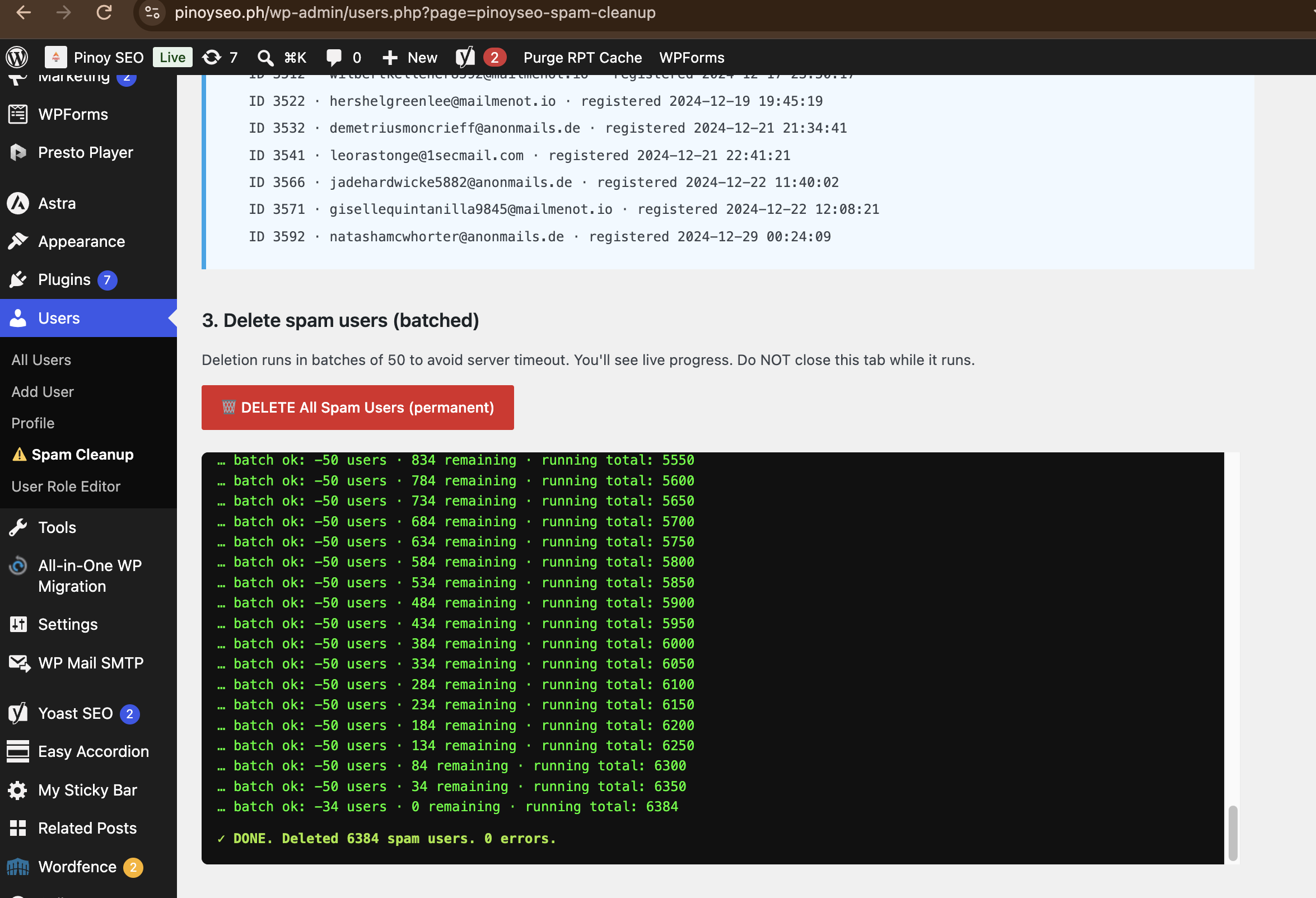
The math worked out to roughly one batch every 12 seconds — bottlenecked entirely by our server’s slow TTFB, not by the plugin. On a faster host, this would have finished in under 10 minutes.
Step 7: Kill the indexed spam URLs in Google
Deleting the users deletes the source, but the URLs stay in Google’s index until it re-crawls them. Two things to do:
1. Turn OFF author archives in Yoast SEO
Yoast SEO → Settings → Content Types → Author archives → toggle Off. This tells Google to noindex all /author/* URLs going forward. Also toggle off Date archives while you’re there — they’re rarely useful for SEO.
2. Submit URL removals in Google Search Console
GSC → Removals → New Request → “Temporarily remove URL” → paste https://yourdomain.com/profile/ and check “Remove all URLs with this prefix.” Repeat for /author/. This gives you an immediate 6-month suppression while Google re-crawls and recognizes the 404s.
Within 24 hours, all our /profile/* spam URLs stopped appearing in Google search results. Within 2 weeks, most had dropped out of the index entirely.
The final numbers
| Metric | Before | After |
|---|---|---|
| Total WordPress users | 13,922 | 7,538 |
| Spam accounts | 5,931 (42%) | 0 |
| Real Tutor LMS students | ~7,988 | ~7,988 |
| Newsletter subscribers | 39 | 39 |
Spam /profile/* URLs indexed | 5,931+ | 0 (returning 404) |
| Bot registration path | Wide open | reCAPTCHA v3 + Wordfence |
| Real students affected | N/A | 0 |
| Errors during 6,384 deletions | N/A | 0 |
Lessons for Filipino WordPress admins
- Assume you have this problem until you check. 42% of our users were bots and the PinoySEO team had no idea. If you’ve never audited your WordPress user database, do it this week.
- Open registration + no CAPTCHA + WordPress author archives = free SEO for spammers. Bots don’t need to “hack” anything. They just fill out your open form, add spammy content to their bio, and WordPress auto-publishes a public author page that Google indexes. Zero exploit required.
- Turn OFF author archives if you don’t use them. Most Filipino sites don’t have multiple authors — the archive pages just leak attack surface. Yoast can noindex them in one click.
- Layer your defenses. No single tool catches everything. reCAPTCHA v3 catches known bot patterns. Wordfence catches behavioral anomalies and brute force. Together they block ~99.5%.
- Audit quarterly. Even with defenses in place, new bot patterns emerge. Set a calendar reminder every 3 months to re-run the user export + spam-domain check.
- Back up before every mass operation. UpdraftPlus is free. There is no acceptable reason to skip this step.
Want help with your own cleanup?
If you run a Filipino WordPress site and want a second pair of eyes on your user database, drop a comment below or message the PinoySEO team on the pinoyseo.ph homepage. We’re happy to share our spam-domain list, the cleanup plugin, or walk you through the 7-step playbook on your own site.
And if you want to master the SEO fundamentals that make spam like this feel obvious the moment it appears in your Search Console data — from indexing hygiene to author archive strategy to defensive robots.txt — that’s exactly what the PinoySEO team teaches in the Pinoy SEO Bootcamp. Batch 41 is open now. Check the homepage for the current schedule.
Have you run site:yourdomain.com yet? What did you find? Tell us in the comments.

Coach Leandro is an award-winning SEO specialist in the Philippines with over 16 years of professional experience as an SEO consultant. He has successfully managed clients from the US, Australia, UK, and Canada, delivering data-driven strategies that generate measurable results in search engine visibility and business growth.
In 2024, he was recognized as the “Outstanding Digital Freelancer of the Year” by the City Government of Iligan for his significant contributions to the freelancing and digital marketing industry.
He is the Founder and Owner of SOVA.ph, PinoySEO.ph, and MalachiSoft.com, where he continues to lead projects, mentor aspiring professionals, and provide SEO training programs tailored to the global market.
As a trusted SEO consultant and business owner in the Philippines, Coach Leandro is dedicated to helping businesses and individuals achieve long-term online success.
Beyond his professional achievements, Coach Leandro is also a passionate drone pilot, enjoying aerial photography and creative storytelling through drone videography.